Features
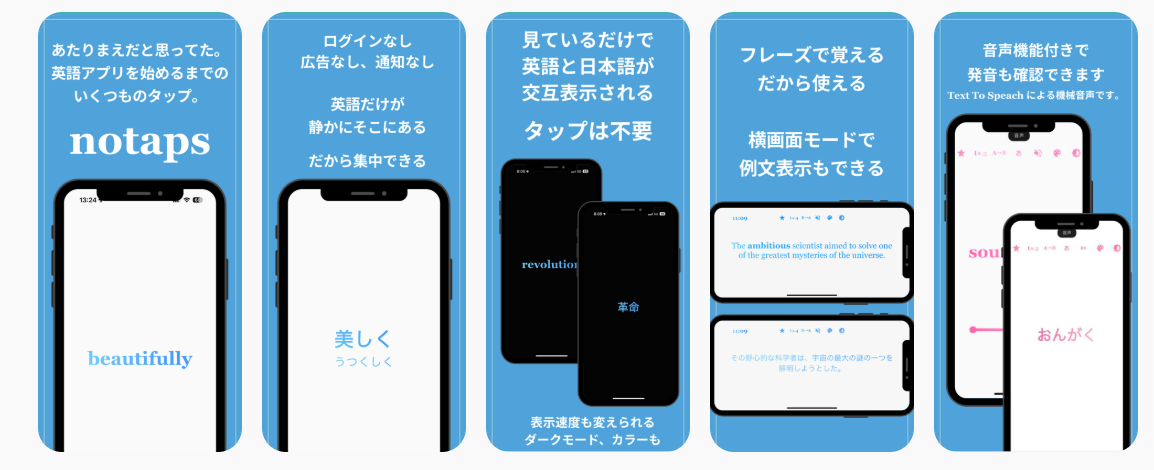
Completely tap-free
Open it and learning starts. No selection buttons to press. Use it while waiting for your PC to boot, eating with your hands full, or drying your hair. Turn a few wasted minutes a day into learning time.
Distraction-free
No notifications, no ads. We do not steal your time. It runs during the spare minutes you already have, so there is no need to carve out new time. No worries about inappropriate ads or in-app purchases for kids.
One-time purchase
A few hundred yen unlocks every feature. Cheaper than one trip to the convenience store.
Download once, use offline
No login, no tedious personal-info entry. Works fully offline.
📚 Series
Concept
Learning no longer requires interaction.
notaps is a vocabulary-training app you just watch.
Quietly, but firmly, the words stick.
🔹 Overview
notaps is a simple learning app that auto-plays English and Japanese vocabulary.
✅ No operation.
✅ No taps.
✅ No ads.
✅ No notifications.
✅ No login.
So you can "watch when you want to" and "watch even when you are tired."
You just watch — words and meanings flow automatically, settling into your memory little by little but reliably.
Main features
- Auto-alternating word and translation display (fully automatic playback)
- Vocabulary swappable by learning level (preschool through working adult)
- Tilt the phone to switch between "memorized" and "unlearned" words
- Landscape mode shows example sentences
- Adjustable display speed to match your learning pace
How to use
🟡 Basic behavior
English words display in the center of the screen and alternate with their Japanese translation every few seconds. No operation required — the "no-tap" design lets memory build just from watching.
🧠 Swipe to flag for review
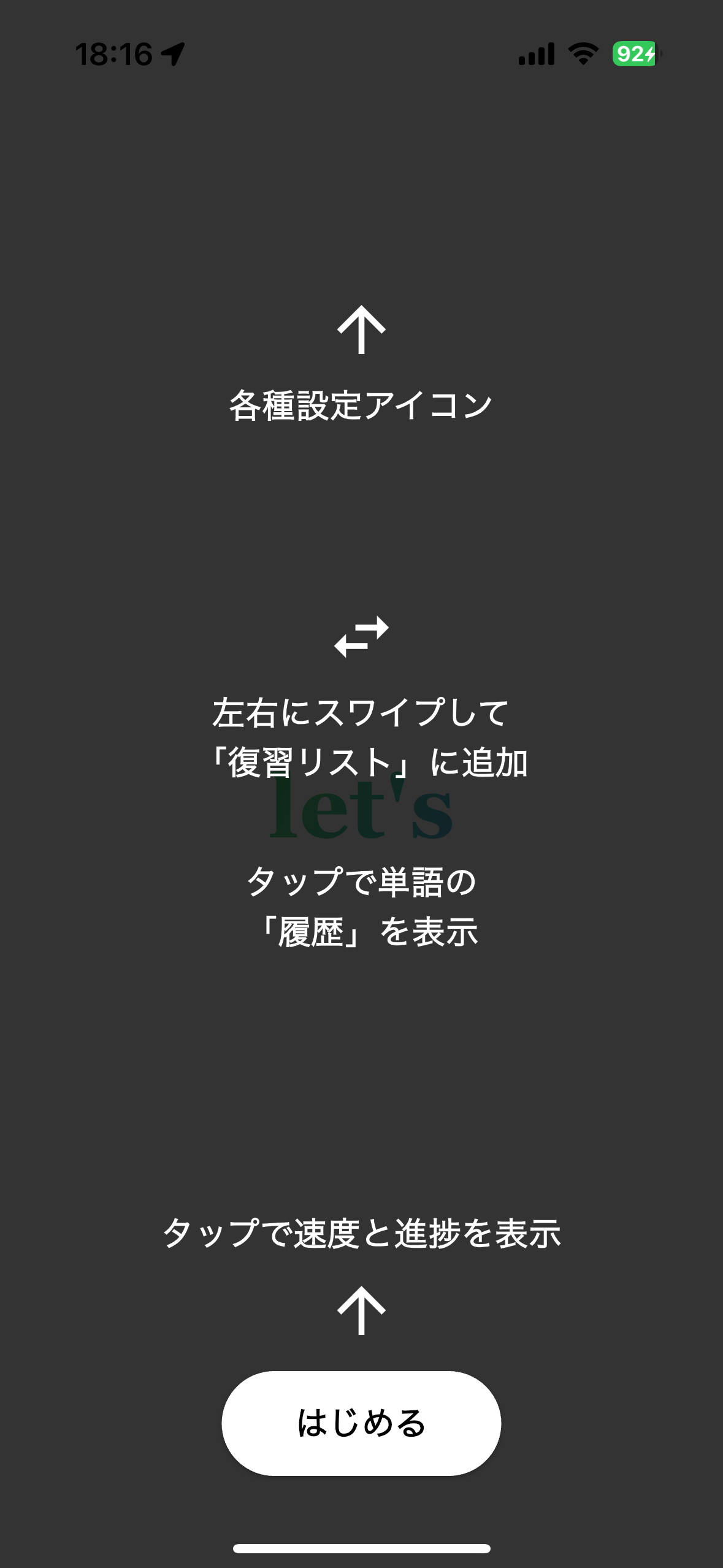
While a word is displayed, swipe left or right to register it in the review list (Lv.Re). Registered words can be reviewed later at the Lv.Re level. Swipe again to remove them from Lv.Re.
🎚️ Adjust display speed
Tap the screen to reveal a slider and progress bar. The slider adjusts word-switching speed between 0.5 and 5 seconds. Long-press the progress bar to reset it.
🟢 Top-icon functions
Star (developer link), level toggle, display order, display mode, voice toggle, color theme, light/dark toggle — all switchable with a single tap.
📘 Recent 100 Words (history)
Tap the screen and a progress bar of recently-seen words appears below the slider. Up to 100 tapped words are saved as history and can be reviewed at any time.
📚 Series roadmap (planned)
- Chinese, Korean
- Junior-high, high-school, university entrance exams
- Certification preparation
- Other spare-time learning topics
FAQ
Apple refund request page
notaps Privacy Policy
✅ 1. Personal information
notaps does not collect any personal information — including your name, email address, or location.
- No account creation or login
- No access to location, contacts, or photos
- No internet communication during use (fully offline)
✅ 2. Data collection and storage
Learning progress and settings (display speed, display mode, etc.) are stored only on your device.
- This information is never transmitted externally
- No other app or server can access it
✅ 3. Ads and tracking
notaps contains none of the following:
- In-app advertising
- Analytics tools (Google Analytics, etc.)
- Tracking features (user-behavior tracking)
✅ 4. Purchase information
notaps is offered as a one-time purchase on the App Store.
Payment information (credit-card numbers, etc.) is managed by Apple — we have no access to any of it.
✅ 5. Contact
For privacy inquiries, please contact us at: